GLSL
OpenGL shaders are written in a C-like languages called GLSL. It's designed specifically for graphics and working with vectors and matrices. Just like C it has a main function, which serves as its entry point.
#version version_number
in type in_variable_name;
in type in_variable_name;

out type out_variable_name;

uniform type uniform_name;

void main() {
  // process input(s) and do some weird graphics stuff
  ...
  // output processed stuff to output variable
  out_variable_name = weird_stuff_we_processed;
}
Example code from Learn OpenGL
Vertex Attributes
Previously in our shaders we have had top-level variables in the source code prefixed with the in keyword. These input variables are called Vertex Attributes. There is a maxiumum amount of these that a shader is allowed which is dependent on the hardware. OpenGL guaruntees that there are always at least "16 4-component" vertex attributes available, which is usually more than enough for most cases. These can by passed between shaders by name or by location (which we've done previously). OpenGL also allows you to query the location by the attribute's name.
Types
GLSL shares most of its data types with C (int, float, bool, ...). It additionally has 2 "container types", being vectors and matrices. We've already made use of vec4 which is a vector consisting of 4 floats. There are equivalent vectors for other types: bvec4 vector of 4 booleans, uvec4 vector of 4 unsigned integers ...etc.
Each component of a vector can be accessed with x, y, z, and w. rgba and stpq is available for colors and texture coordinates as well, which are equivalent. GLSL also allows "swizzling", which lets you do syntax like:
vec2 myVec2 = myVec4.xy;
vec3 myVec3 = myVec2.xxy;
in order to construct new vectors from its components. This is allowed in any combination up to 4 components. Constructors are also permitted:
vec4 mySecondVec4 = vec4(myVec3.xyz, 1.0);Uniforms
In the first example shader-code there was a vertex attribute marked as uniform as opposed to in or out. This isn't really a vertex attribute, but it serves as another way to pass data from our application on the CPU to shaders on the GPU.
Uniforms are global, unique, per-shader program objects. They also keep their value until changed or updated, persisting between frames. This is handy for gradualy changing shader output or other aspects over time and during certain events without having to constantly pass a value each frame.
Using What We Now Know
Using in and out variables allows us to affect future shader stages. For example, we can set the fragment colour from the vertex shader.
#version 330 core
layout(= 0) in vec3 aPos;
out vec4 colour;
void main() {
gl_Position = vec4(aPos.x, aPos.y, aPos.z, 1.0);
colour = vec4(0.541, 0.169, 0.886, 1.9);
}And then by taking an in vertex attribute in the fragment shader, using the same name. We can use that to set FragColor.
#version 330 core

in vec4 colour;

out vec4 FragColor;

void main() {
    FragColor = colour;
}
Now our non-yellow triangle renders using a colour we specify in the fragment shader. 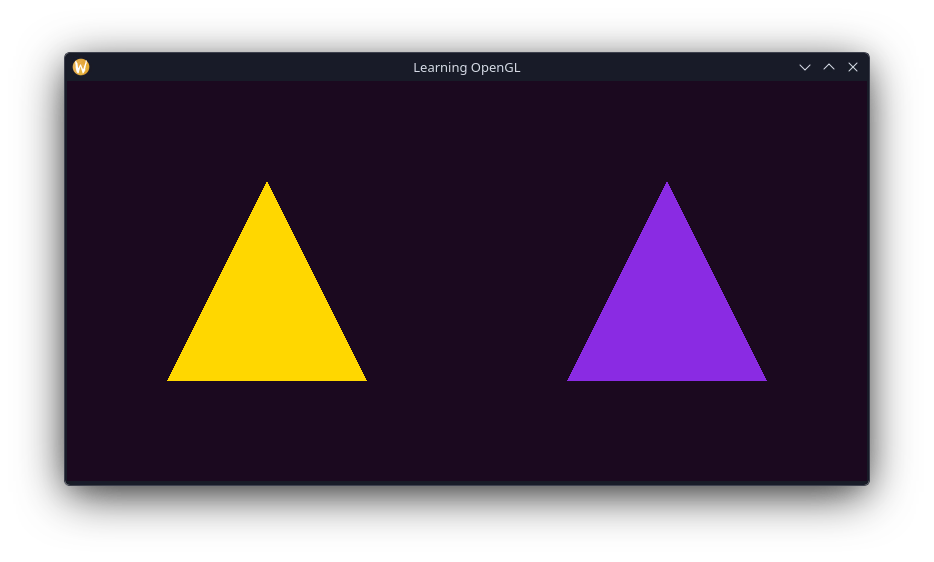
Cleaning Up The Code
As of writing, our code consists of our main function with about 150 lines of code in it. We also manually include shaders as string literals in our source code. This is a massive pain to change shader stuff, so let's sort this now.
Shader Management
Learn OpenGL creates a shader class to handle and manage them. Since I'm writing this in C we don't have classes. So we can declare our own Shader API thingy.
Lets start by creating a struct to store the info we need for a shader program, and some helper functions.
#ifndef LEARNOPENGL_SHADER_H_
#define LEARNOPENGL_SHADER_H_
#include <stdio.h>
#include "types.h"
typedef struct Shader Shader;
struct Shader {
uint32 program;
uint32 vertex;
uint32 fragment;
};
void shaderInit(*shader);
void shaderSetFrag(*shader,frag);
void shaderSetVert(*shader,frag);
int32 shaderLink(*shader); // Returns program iv
int32 compileFrag(*file,*frag); // Returns shader iv
int32 compileVert(*file,*vert); // Returns shader iv
#endif // LEARNOPENGL_SHADER_H_Lets start with defining our shader compile functions. Since they are largely the same, I'm going to use an internal function in the source file to do it.
int32 compileShader(*file,*shader, constshaderType) {
// Get the size of the file so we know how big our buffer needs to be
fseek(file, 0, SEEK_END);
const int64 size = ftell(file);
rewind(file);
int8 buf[size + 1]; // Extra allocation for null-terminator
fread(buf, sizeof(int8), size, file);
buf[size] = '\0';
// Check for file reading error and return it if found
const int32 fileError = ferror(file);
if (fileError != 0) {
return fileError;
}
const int8 *buf2 = buf; // glShaderSource requires a const string for input.
const uint32 shaderLocal = glCreateShader(shaderType);
glShaderSource(shaderLocal, 1, &buf2, nullptr);
glCompileShader(shaderLocal);
*shader = shaderLocal;
return 0;
}
int32 compileFrag(*file,*frag) {
return compileShader(file, frag, GL_FRAGMENT_SHADER);
}
int32 compileVert(*file,*vert) {
return compileShader(file, vert, GL_VERTEX_SHADER);
}The shaders and link setting functions are quite simple:
void shaderInit(*shader) {
shader->program = glCreateProgram();
}
void shaderSetFrag(*shader, constfrag) {
shader->fragment = frag;
}
void shaderSetVert(*shader, constvert) {
shader->vertex = vert;
}
int32 shaderLink(const*shader) {
glAttachShader(shader->program, shader->vertex);
glAttachShader(shader->program, shader->fragment);
glLinkProgram(shader->program);
int32 success;
glGetProgramiv(shader->program, GL_LINK_STATUS, &success);
return success;
}Now we should add some functions for setting uniform values, since I'll be making use of that here.
void shaderSetInt(const*shader, const char *name, constvalue) {
glUniform1i(glGetUniformLocation(shader->program, name), value);
}
void shaderSetFloat(const*shader, const char *name, constvalue) {
glUniform1f(glGetUniformLocation(shader->program, name), value);
}
void shaderSetFloat4(const*shader, const*name, constx, consty, constz, constw) {
glUniform4f(glGetUniformLocation(shader->program, name), x, y, z , w);
}
void shaderSetBool(const*shader, const char *name, const bool value) {
glUniform1i(glGetUniformLocation(shader->program, name), value);
}With all that done, shader can be used and compiled from a file like so
// Shaders
uint32 defaultVert, defaultFrag;
compileVert(fopen("shaders/default.vert", "rb"), &defaultVert);
compileFrag(fopen("shaders/default.frag", "rb"), &defaultFrag);
// TODO: Check for shader compile errors
Shader purpleShader, whiteShader;
shaderInit(&purpleShader);
shaderInit(&whiteShader);
shaderSetVert(&purpleShader,);
shaderSetVert(&whiteShader,);
shaderSetFrag(&purpleShader,);
shaderSetFrag(&whiteShader,);
shaderLink(&purpleShader);
shaderLink(&whiteShader);I've omitted the checks that report any issues compiling and linking for the moment. I've also defined some default shaders for us to use.
// default.vert
#version 330 core
layout(=0) in vec3 pos;
void main() {
gl_Position = vec4(pos.xyz, 1.0);
}// default.frag
#version 330 core
out vec4 FragColor;
uniform vec4 colour = vec4(1.0, 1.0, 1.0, 1.0);
void main() {
FragColor = colour;
}I've defined a uniform in our fragment shader that can be used to set the colour.
When I first tried to do this to make a purple triangle, it didn't work. Which I thought was quite confusing. It turns out that the glUniform* functions require the shader program to be bound in order to set uniforms on them. I discovered there is a way to do it without binding the shader program beforehand using a glProgramUniform* function, however this was not implemented until OpenGL 4.1.
glUseProgram();
shaderSetFloat4(&purpleShader, "colour", 0.541f, 0.169f, 0.886f, 1.0f);Shader Magic
We should be all set up to write some cool shader code. We will still need to make a few modifications to our rendering code for stuff to work properly, but editing our shaders should be easier.
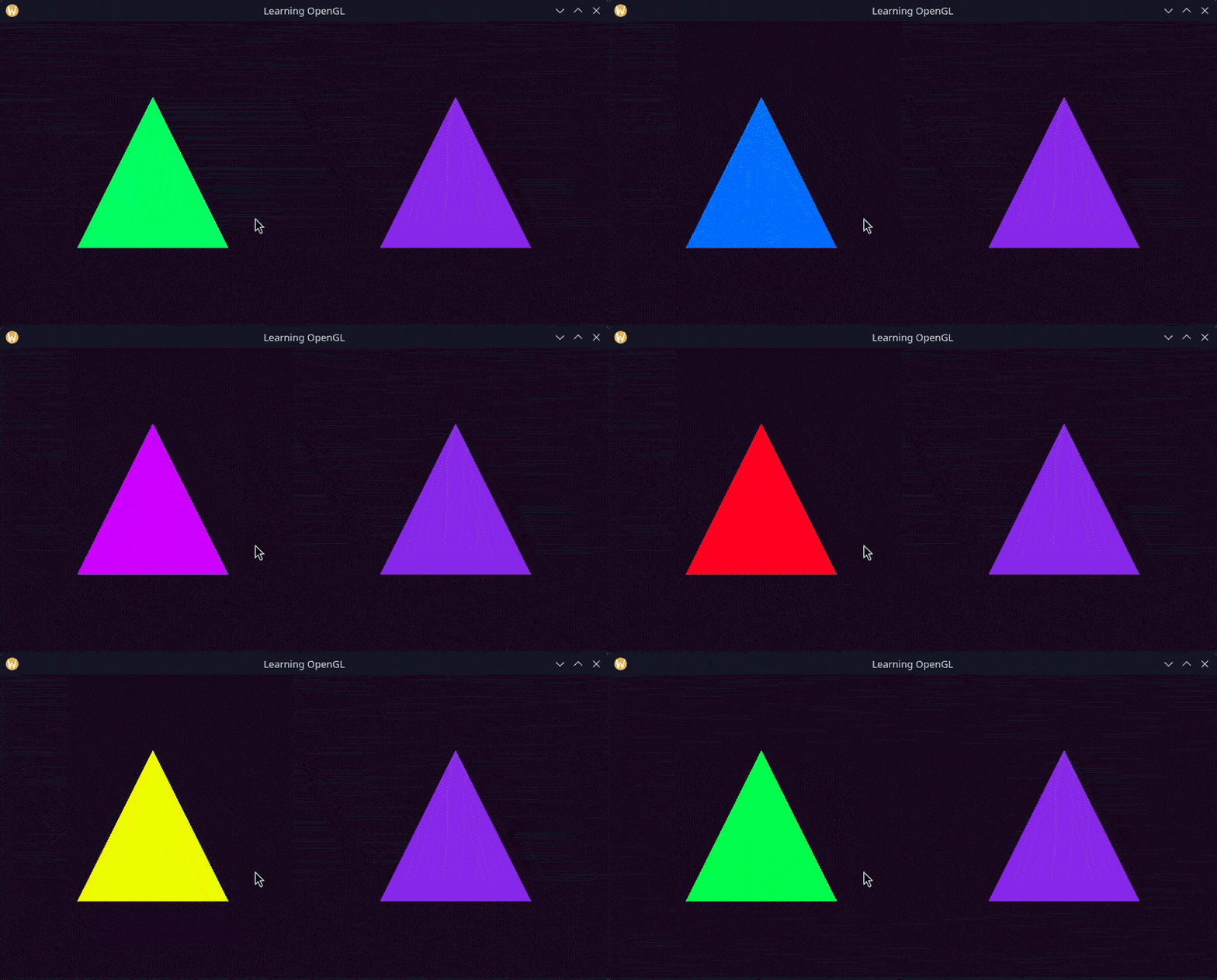
Colour Cycle Effect
Using a uniform we can supply a time value to our shader, which GLFW very helpfully provides to us. This allows us to change our shader effect over time. Heres how the effect will work:
- The time value is restricted to be within a certain range guarunteed by a modulo operation.
- Use the restricted time value as a hue value.
- Convert the hue to an RGB vector, which is our fragment colour.
Step requires a lot of steps, but everything else is fairly simple. The code for the shader looks like this.
#version 330 core

out vec4 FragColor;

uniform float time;

void main() {
    float hue = mod((time / 4.0), 1.0);
    float sat = 1.0;
    float value = 1.0;

    float hue6 = 6.0 * hue;

    float chroma = sat * value;
    float intermediate = chroma * (1.0 - abs(mod(hue6, 2.0) - 1.0));
    float match = value - chroma;

    vec3 prime = vec3(1.0, 1.0, 1.0);
    if (hue6 < 1.0) {
        prime = vec3(chroma, intermediate, 0.0);
    }
    else if (hue6 < 2.0) {
        prime = vec3(intermediate, chroma, 0.0);
    }
    else if (hue6 < 3.0) {
        prime = vec3(0.0, chroma, intermediate);
    }
    else if (hue6 < 4.0) {
        prime = vec3(0.0, intermediate, chroma);
    }
    else if (hue6 < 5.0) {
        prime = vec3(intermediate, 0.0, chroma);
    }
    else if (hue6 < 6.0) {
        prime = vec3(chroma, 0.0, intermediate);
    }

    vec3 colorFinal = prime + match;
    FragColor = vec4(colorFinal.rgb, 1.0);
}
Now we need to set the time uniform for the shader to use, which is done in the main render loop.
glUseProgram();
shaderSetFloat(&rainbowShader, "time", ()glfwGetTime());
glBindVertexArray();
glDrawArrays(, 0, 3);And here is the result.
Fragment Interpolation
Earlier we saw that we could set the colour in the vertex shader for the fragment shader to use. However, there are quite clearly more pixels than vertices in our triangle. So what does OpenGL actually do here? Lets find out.
Firstly, we need to add colour data to our vertex input. Lets use red, green and blue for each vertex.
float32 vertices[] = {
     0.5f,   0.5f, 0.0f,    1.0f, 0.0f, 0.0f,   // red
     0.75f, -0.5f, 0.0f,    0.0f, 1.0f, 0.0f,   // green
     0.25f, -0.5f, 0.0f,    0.0f, 0.0f, 1.0f,   // blue

    -0.5f,   0.5f, 0.0f,    1.0f, 0.0f, 0.0f,   // red
    -0.75f, -0.5f, 0.0f,    0.0f, 1.0f, 0.0f,   // green
    -0.25f, -0.5f, 0.0f,    0.0f, 0.0f, 1.0f,   // blue
};
Im setting the vertex data here for both triangles, however I will only be using it for one of them.
Since we have new vertex attributes in our data, we need to update the vertex format to accomodate it.
glVertexAttribPointer(0, 3,,, 6 * sizeof(),);
glEnableVertexAttribArray(0);
glVertexAttribPointer(1, 3,,, 6 * sizeof(),);
glEnableVertexAttribArray(1);Next we need to write the shaders that will make use of this new vertex data.
// vertex shader
#version 330 core
layout(=0) in vec3 pos;
layout(=1) in vec3 col;
out vec3 vertexColour;
void main() {
gl_Position = vec4(pos.xyz, 1.0);
vertexColour = col;
}// fragment shader
#version 330 core
in vec3 vertexColour;
out vec4 FragColor;
void main() {
FragColor = vec4(vertexColour, 1.0);
}Now switching out our purple shaders for our new ones, this is the result: 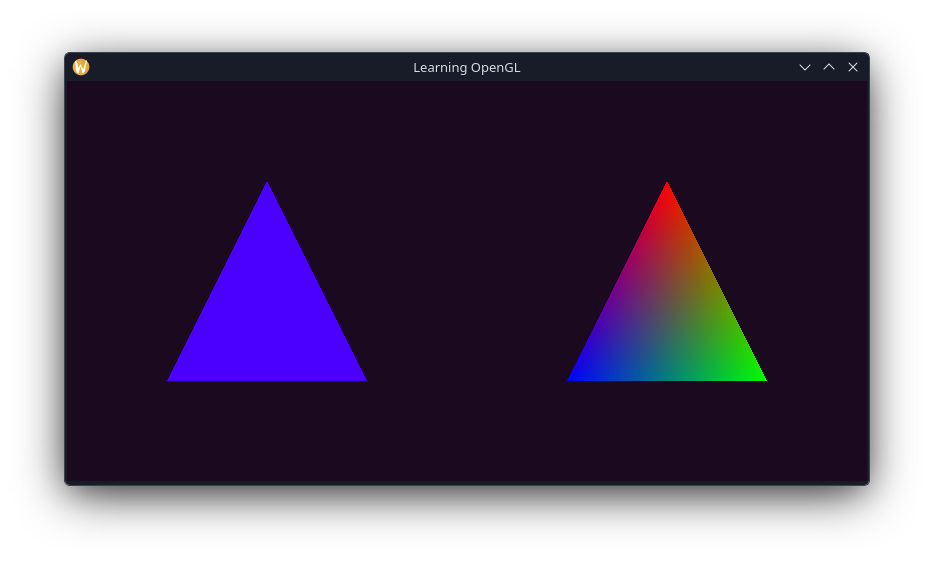
Surprising right? OpenGL interpolates the all of the fragment shader's input values. So the 3 colour values we supplied earlier get linearly interpolated to the fragment.
This has gotten to be quite a lengthy post so I'm going to end it here. I did have a lot of fun messing around with the shaders here, so I wan't to do a little bit more of that before moving on to the next section, textures!