The Element Buffer Object
In the last post I managed to render a single triangle to the screen.
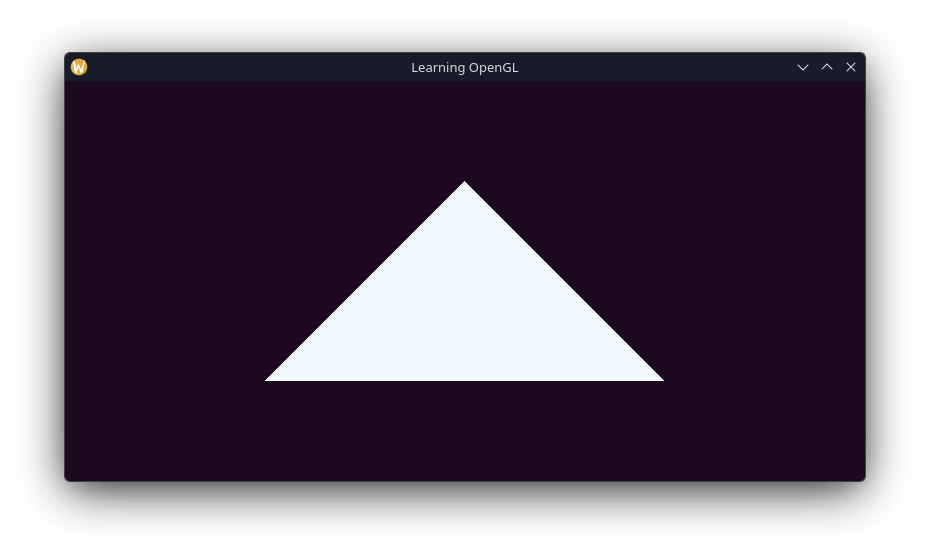
But what if we want to draw something more complicated like a rectangle. We could draw two triangles next to eachother the same way we've done this. However, this would mean defining duplicate points for each triangle in the rectangle for the vertices that overlap. If we were rendering larger models, we should work to avoid this overhead.
OpenGL allows us to store the connected vertices as indexes in a new buffer object, called the Element Buffer Object (or EBO). It is declared and initalised similar to our VBO. Firstly let's change our vertex data to be appropriate for this, and delcare our indices.
float32 vertices[] = {
0.5f, 0.5f, 0.0f, // top right
0.5f, -0.5f, 0.0f, // bottom right
-0.5f, -0.5f, 0.0f, // bottom left
-0.5f, 0.5f, 0.0f // top left
};
uint32 indices[] = {
0, 1, 3, // triangle 1
1, 2, 3 // triangle 2
};If we draw the data as we've changed it now, since we're specifying the size of the data as 3 points, we should see one triangle in our rectange, which is exactly what we get. 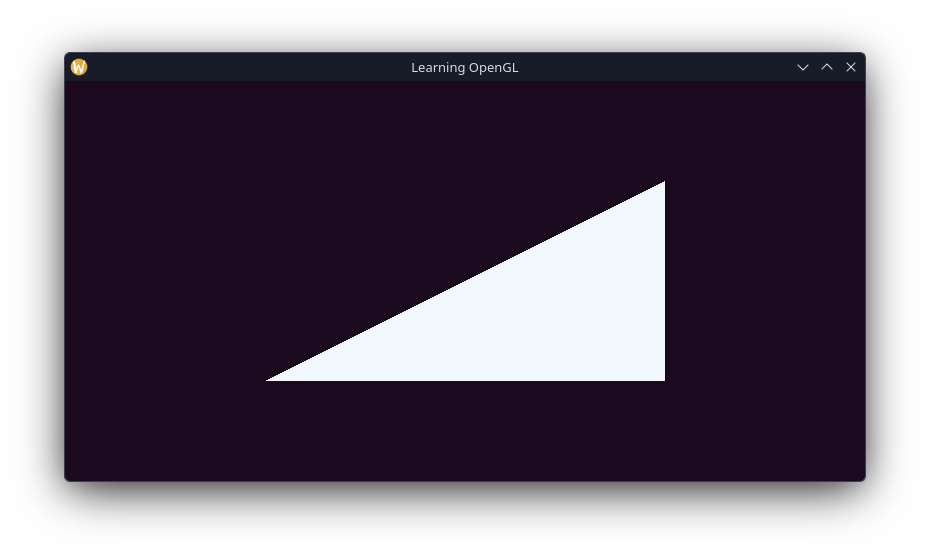
Now creating our EBO like so:
uint32 vertexArrayObject;
uint32 vertexBufferObject;
uint32 elementBufferObject;
glGenVertexArrays(1, &vertexArrayObject);
glGenBuffers(1, &vertexBufferObject);
glGenBuffers(1, &elementBufferObject);
glBindVertexArray();
glBindBuffer(,);
glBufferData(, sizeof(),,);
glBindBuffer(,);
glBufferData(, sizeof(),,);And to render using our new data; in the main render loop, we replace the glDrawArrays call with a call to glDrawElements instead.
while (!glfwWindowShouldClose(window)) {
glClearColor(0.106f, 0.035f, 0.122f, 1.0f); // Sets colour to clear buffer with
glClear(GL_COLOR_BUFFER_BIT); // Clears buffer with last set colour
glUseProgram(shaderProgram);
glBindVertexArray(vertexArrayObject);
//glDrawArrays(GL_TRIANGLES, 0, 3);
glDrawElements(GL_TRIANGLES, 6, GL_UNSIGNED_INT, nullptr);
glfwSwapBuffers(window);
glfwPollEvents();
}And that's it! We're drawing a rectangle
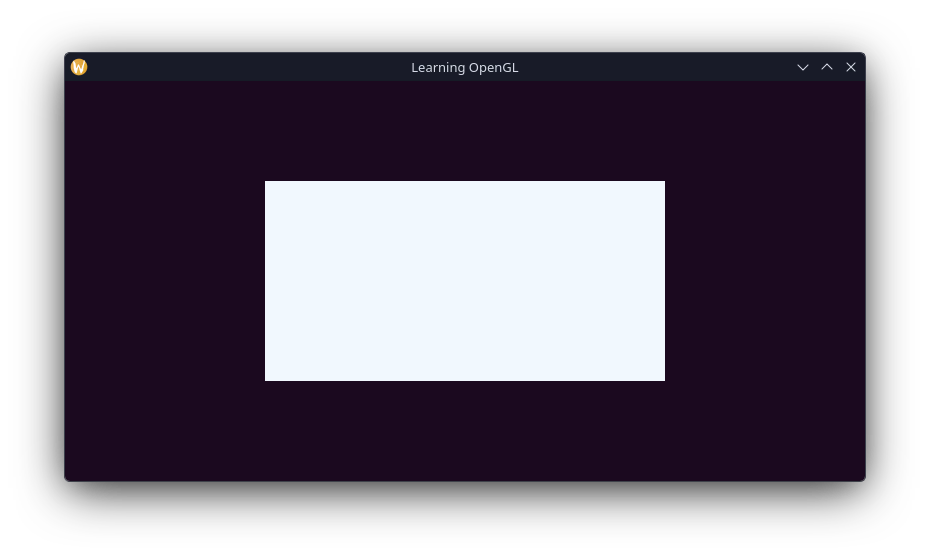
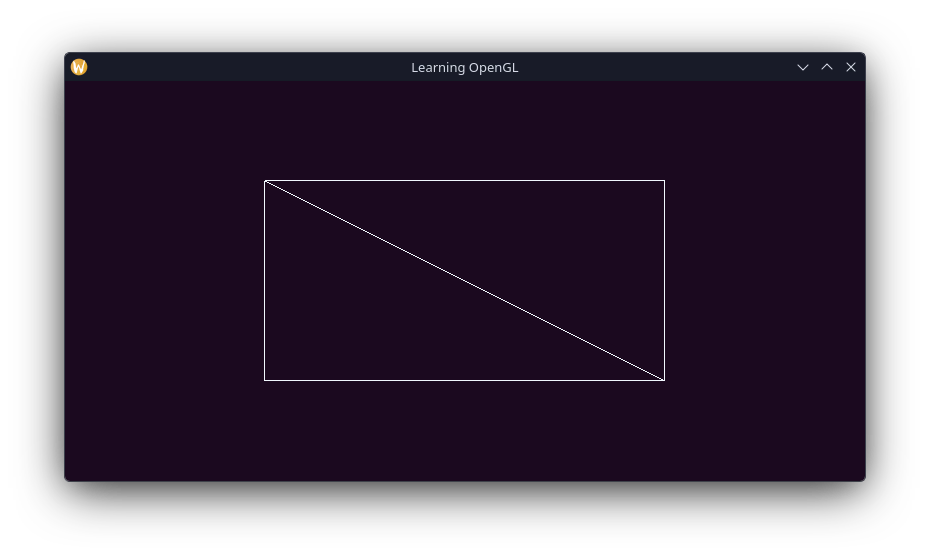
We can see the composing triangles by setting the polygon draw mode to GL_LINES instead of the default fill, using glPolygonMode(GL_FRONT_AND_BACK, GL_LINE);
Some Extra Practice
Learn OpenGL has some exercises listed that it recommends completing before moving on to the next section, I want to check I've properly digested how everything works so I'll be listing my thought process for each problem, as well as my solution.
Exercise 1
"Draw 2 triangles next to eachother using
glDrawArraysby adding more vertices to your data"
I want to keep as much of the stuff I've implemented up to this point as I can. So, since we it requires using glDrawArrays I can comment out anything to do with the EBO. Declaring the points for the two triangles requires two sets of nine points:
float32 vertices[] = {
0.5f, 0.5f, 0.0f, // t1 top
0.75f, -0.5f, 0.0f, // t1 bottom right
0.25f, -0.5f, 0.0f, // t1 bottom left
-0.5f, 0.5f, 0.0f, // t2 top
-0.75f, -0.5f, 0.0f, // t2 bottom left
-0.25f, -0.5f, 0.0f, // t2 bottom right
};Our glDrawArrays call needs to specify the 6 points we are drawing, the stride and size is already set by our call to glVertexAttribPointer call outside of the render loop.
glDrawArrays(, 0, 6);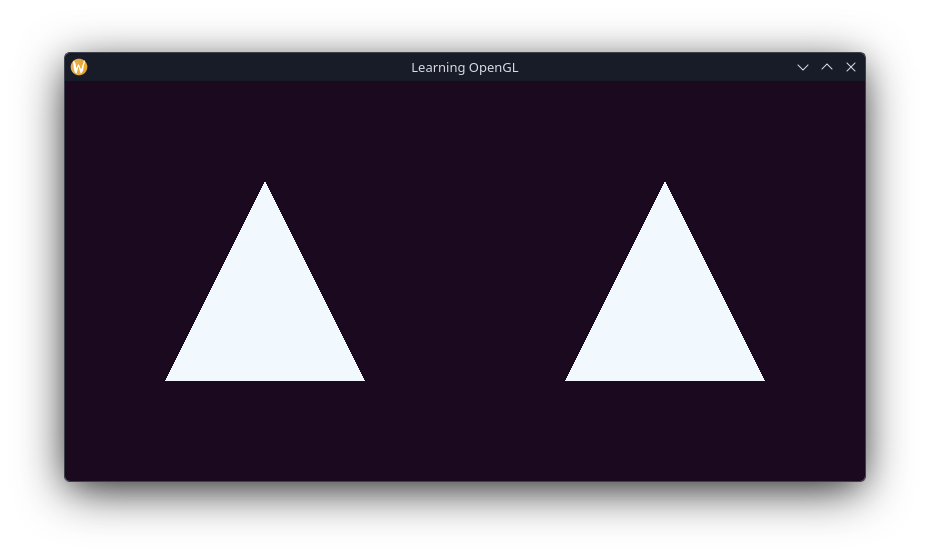
Excercise 2
"Now create the same 2 triangles using two different VAOs and VBOs for their data"
It was tempting to create a second array of vertices for this excercise, however we can keep the same array and just use referencing to properly set the start and size when buffering the data.
I think we also need to bind the correct vertex array before loading the points into the buffer. So immediately after creating our new VBO and VAO, with all the others, we need to first bind the appropriate VAO before loading all the points into the VBO. Finally, since the binding changes, we need to configure the vertex attributes for each VBO and VAO as well.
glBindVertexArray();
glBindBuffer(,);
glBufferData(, sizeof() / 2, &0,);
glVertexAttribPointer(0, 3,,, 3 * sizeof(),);
glEnableVertexAttribArray(0);
glBindVertexArray();
glBindBuffer(,);
glBufferData(, sizeof() / 2, &9,);
glVertexAttribPointer(0, 3,,, 3 * sizeof(),);
glEnableVertexAttribArray(0);Then in our main render loop, we bind the appropriate VAO before making our glDrawArrays call for it.
while (!glfwWindowShouldClose()) {
glClearColor(0.106f, 0.035f, 0.122f, 1.0f); // Sets colour to clear buffer with
glClear(GL_COLOR_BUFFER_BIT); // Clears buffer with last set colour
glUseProgram(shaderProgram);
glBindVertexArray(vertexArrayObject1);
glDrawArrays(GL_TRIANGLES, 0, 3);
glBindVertexArray(vertexArrayObject2);
glDrawArrays(GL_TRIANGLES, 0, 3);
glfwSwapBuffers(window);
glfwPollEvents();
}And this appears to work as intended!
Excercise 3
"Create two shader programs where the second program uses a different fragment shader that outputs the color yellow; draw both triangles again where one outputs the color yellow"
This one should be fairly trivial, we can re-use the fragment shader since nothing changes on that end, and then to make it yellow we change what we set FragColor to. I've picked a fairly "gold" yellow for this.
#version 330 core
out vec4 FragColor;

void main() {
    FragColor = vec4(1.0, 0.843, 0.0, 1.0);
}uint32 yellowShader = glCreateShader();
glShaderSource(, 1, &yellowShaderSrc,);
glCompileShader();
{
int32 success;
int8 infoLog[512];
glGetShaderiv(yellowShader, GL_COMPILE_STATUS, &success);
if (!success) {
glGetShaderInfoLog(yellowShader, 512, nullptr, infoLog);
fprintf(stderr, "Fragment (yellow) shader compilation failed.\n%s", infoLog);
return -1;
}
}Now we need to compile and link the new shader to a new program for the yellow triangle.
int32 yellowProgram = glCreateProgram();
glAttachShader(yellowProgram, vertexShader);
glAttachShader(yellowProgram, yellowShader);
glLinkProgram(yellowProgram);
{
int32 success;
int8 infoLog[512];
glGetProgramiv(yellowProgram, GL_LINK_STATUS, &success);
if (!success) {
glGetProgramInfoLog(yellowProgram, 512, nullptr, infoLog);
fprintf(stderr, "Shader program link failed.\n%s", infoLog);
return -1;
}
}
glDeleteShader(vertexShader);
glDeleteShader(fragShader);
glDeleteShader(yellowShader);Now to actually make one of the triangles yellow, we need to swap the shade program in the main render loop.
while (!glfwWindowShouldClose()) {
glClearColor(0.106f, 0.035f, 0.122f, 1.0f); // Sets colour to clear buffer with
glClear(GL_COLOR_BUFFER_BIT); // Clears buffer with last set colour
glUseProgram(shaderProgram);
glBindVertexArray(vertexArrayObject1);
glDrawArrays(GL_TRIANGLES, 0, 3);
glUseProgram(yellowProgram);
glBindVertexArray(vertexArrayObject2);
glDrawArrays(GL_TRIANGLES, 0, 3);
// glDrawElements(GL_TRIANGLES, 6, GL_UNSIGNED_INT, nullptr);
glfwSwapBuffers(window);
glfwPollEvents();
}And just like that we have a yellow triangle. 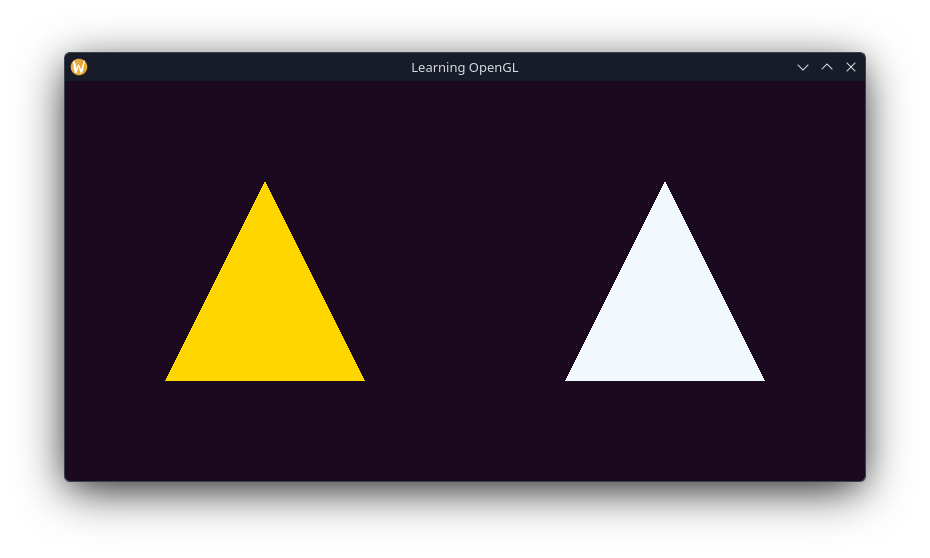
Wrapping it up
This hasn't been my first attempt at learning OpenGL, however writing about it on here has lead me to actually understand what I'm doing. I never ended up getting much further than this bit where I am now. So from here-on out everything will be completely new territory for me. Next up is learning more about shaders. The main function for this project is getting a bit crowded now, so I might end up addressing that in the next section as well.